ai-cloud
The VMware Alternative for GPU Workloads
Evaluate VMware alternatives for Kubernetes GPU workloads. vMetal manages machines, and vCluster separates tenant control planes and dedicates production workers through Private Nodes.
Evaluate VMware alternatives for Kubernetes GPU workloads. vMetal manages machines, and vCluster separates tenant control planes and dedicates production workers through Private Nodes.
Teams running AI on a VM-per-tenant design tend to hit the same three problems.
Every VM layer adds passthrough configuration and some overhead. Training and inference jobs that need full throughput feel it first.
Moving to plain Kubernetes namespaces trades the VM boundary for a much thinner one: tenants can see platform internals and other tenants' nodes and pods.
A full cluster per tenant restores the boundary but is slow to provision and costly to run at GPU cloud scale.
vCluster separates tenant control planes and assigns dedicated Private Nodes for GPU workloads. vMetal orchestrates bare metal or VM provisioning; optional vNode provides runtime hardening using the existing Linux kernel. vCluster Labs software powers 100K+ GPUs.
From provisioning servers to isolating individual workloads, these are the parts that replace a VM-based stack.
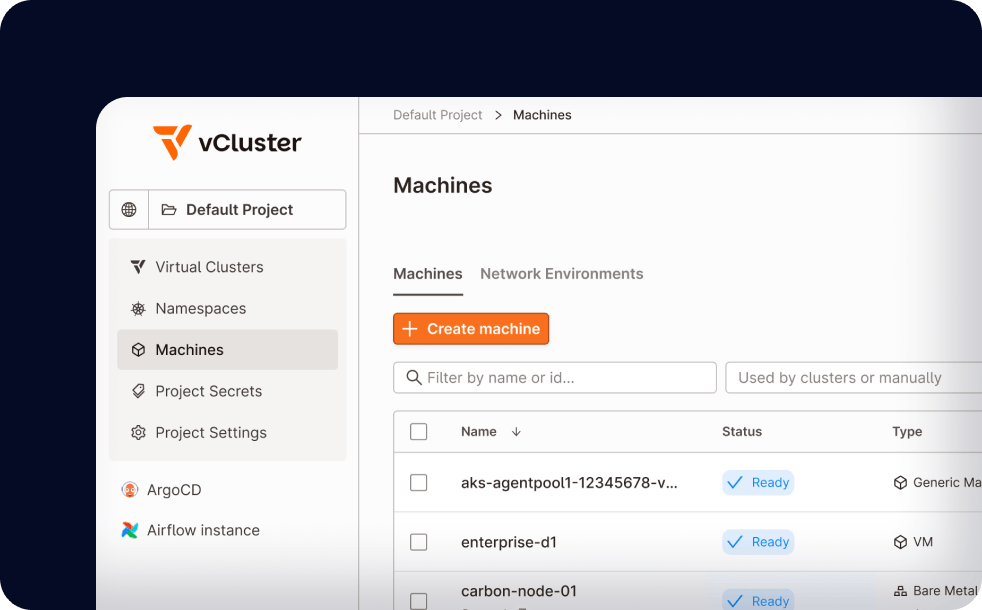
vMetal exposes one Machine API above bare metal and VM provisioning drivers. Registered inventory, images and credentials enable repeatable machine lifecycle workflows for Kubernetes GPU migration. Network automation uses supported integrations such as Netris.
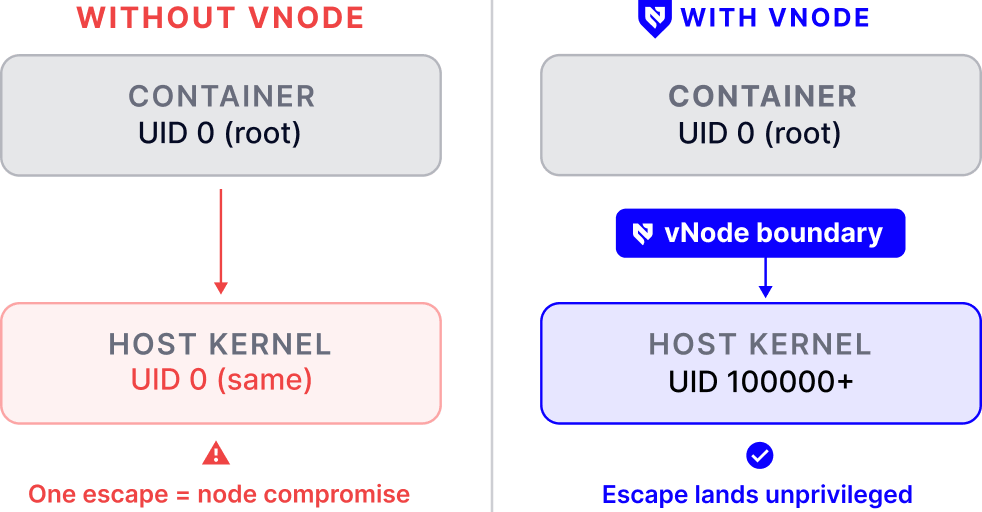
vNode uses Linux user namespaces and seccomp to restrict workload privileges and system calls. It adds runtime hardening for Kubernetes GPU migration without a guest kernel or hypervisor, complementing dedicated workers rather than allocating GPUs.
Private Nodes dedicate worker capacity to one tenant cluster, with its own CNI and storage configuration. For Kubernetes GPU migration, select physical servers or VMs according to the required infrastructure boundary.
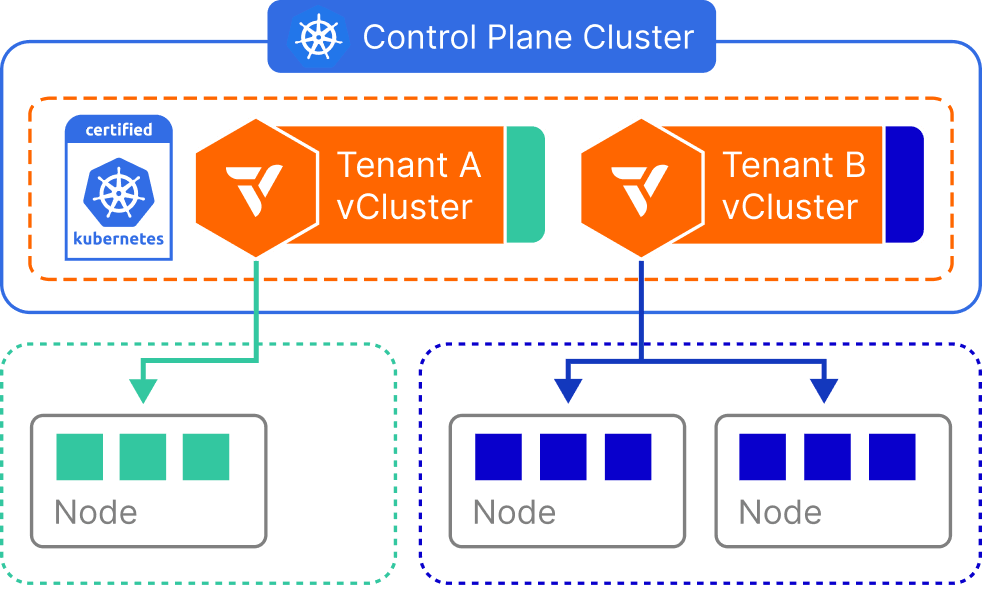
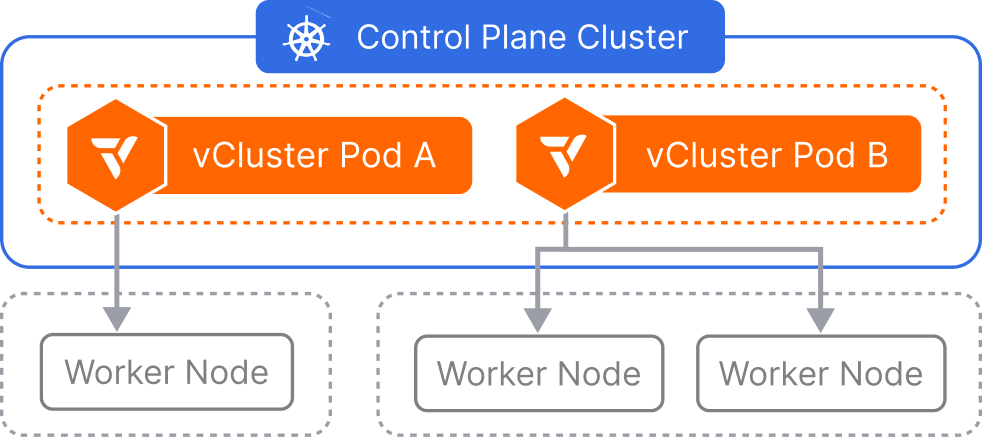
Each tenant has an independent Kubernetes API, data store and RBAC boundary. Lightweight control-plane hosting reduces dedicated server requirements for Kubernetes GPU migration; Private Nodes keep production workers tenant-specific.
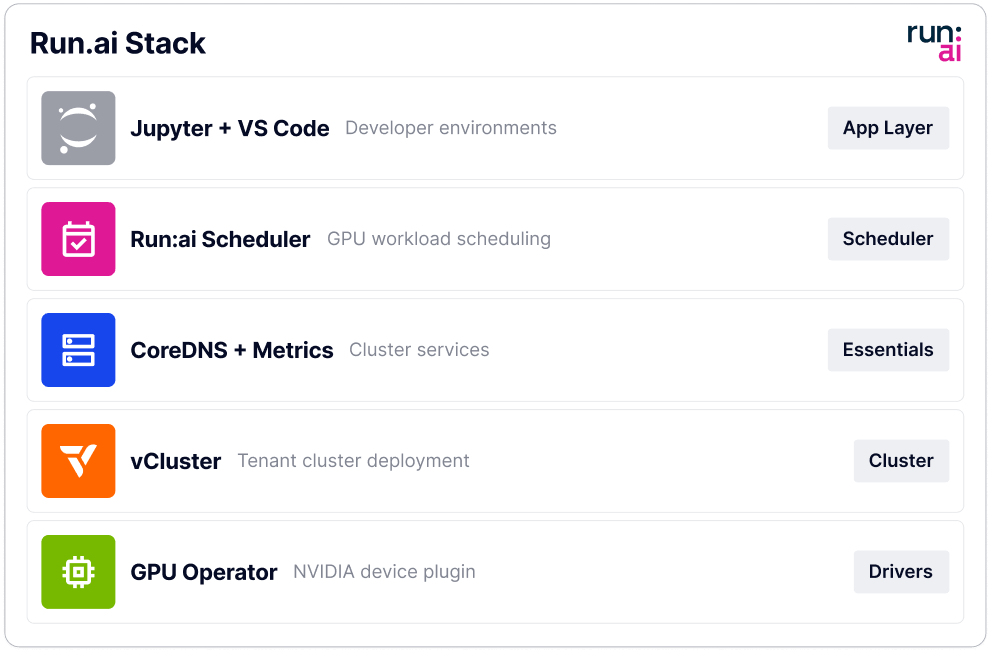
Use supported workload templates for Kubernetes GPU migration, including the NVIDIA Run:AI partner integration. Configure GPU, network and storage prerequisites, and validate the selected template for Private Nodes before offering it to production customers.
This isn’t a side project. Behind every vCluster deployment is 5+ years of deep K8s engineering, security hardening, and battle-tested infrastructure work at massive scale.
Talk to our team about your stack
Deploy vCluster on your infra in minutes
Go live with a hyperscaler-grade tenant experience in days
It moves the tenant boundary from the VM to the Kubernetes control plane and the node. Each tenant gets a CNCF-certified tenant cluster whose workloads run on Private Nodes, so GPU jobs run on dedicated hardware without a VM per tenant. vNode can add a workload boundary on top without a hypervisor.
Yes. vCluster Standalone runs as a single CNCF-certified binary on bare metal Linux, with no k3s or kubeadm underneath. vMetal handles zero-touch provisioning of the servers, and network isolation comes through the Netris integration. vMetal can also provision VMs if part of your estate stays virtualized.
There are three boundaries. The control plane boundary: each tenant has its own API server, data store, RBAC and CRDs. The node boundary: Private Nodes give each tenant dedicated worker nodes with its own CNI and storage. The workload boundary: vNode uses Linux user namespaces and seccomp and is designed to prevent container breakout, without a VM.
vCluster Labs software powers 100K+ GPUs and 1M+ CPUs, serving 50+ GPU clouds & Fortune 500s combined. In production, Lintasarta operates 170+ tenant clusters, while Boost Run completed its managed Kubernetes launch in under 45 days from the decision. These named deployments provide scale and launch examples for teams evaluating the platform for their own infrastructure.
NVIDIA Run:AI is available through the native Certified Stacks integration, with release-specific prerequisites and templates. Its bundled templates do not automatically supply dedicated Private Nodes. Configure and validate the production worker model, GPU access, networking and storage before offering it to customers. Ray and Jupyter can use compatible Kubernetes deployment tooling and require their own supported configuration.
Start from who runs the workload. External customers and production jobs go on Private Nodes. Internal dev, test and CI work from trusted teams can run on Shared Nodes to save cost. Sensitive or untrusted workloads can add vNode on top of Private Nodes for an extra boundary at the workload level.
See how teams run GPU workloads in tenant clusters on Private Nodes instead of VMs.
