vCluster Logging: Logs, JSON, Debug, and Audit

Sep 1, 2026
|
6
min Read

This is a simple, step-by-step guide to vCluster logging and audit logs: control plane logs, JSON logs, debug logs, and Kubernetes audit logs.
Every step includes the exact commands and example output so you know what to expect. The steps work on any Kubernetes cluster (kind, k3d, EKS, GKE, AKS, and more).
You need the following before starting:
Whenever you check pods or logs in -n <tenant-cluster-namespace>, you must be on the Control Plane Cluster context (usually after vcluster disconnect).
Commands use placeholders instead of hard-coded names. Replace these with your actual values before running:
| Placeholder | Example value | Description |
|---|---|---|
| <tenant-cluster-name> | my-vcluster | The name of your tenant cluster |
| <tenant-cluster-namespace> | my-vcluster | Namespace on the Control Plane Cluster |
| <tenant-cluster-pod> | my-vcluster-0 | The vCluster pod name |
For Platform UI-created clusters, the namespace looks like loft-default-v-my-vcluster. Run kubectl get pods --all-namespaces | grep vcluster to find the exact value.
Check your CPU architecture:
uname -m
Download a matching binary (example: macOS arm64):
mkdir -p ~/bin
curl -L -o ~/bin/vcluster "https://github.com/loft-sh/vcluster/releases/latest/download/vcluster-darwin-arm64"
chmod +x ~/bin/vcluster
export PATH="$HOME/bin:$PATH"
vcluster version
Expected output:
vcluster version 0.35.1
If you are unsure which binary you installed, run which vcluster.
kubectl cluster-info
You should see a "Kubernetes control plane is running at …" line. Make sure it is the cluster you want to run vCluster on.
vcluster platform start \
  --namespace vcluster-platform \
  --values vcluster-platform.yaml
vcluster use driver platform
If you skip this, vcluster create with Platform flags (like --project) may fail or behave like Helm mode.
You can create a tenant cluster either via the CLI or the Platform UI. Both produce the same result.
vcluster create <tenant-cluster-name> \
  -n <tenant-cluster-namespace> \
  --project default
When prompted, choose Virtual Cluster Template (Isolated).
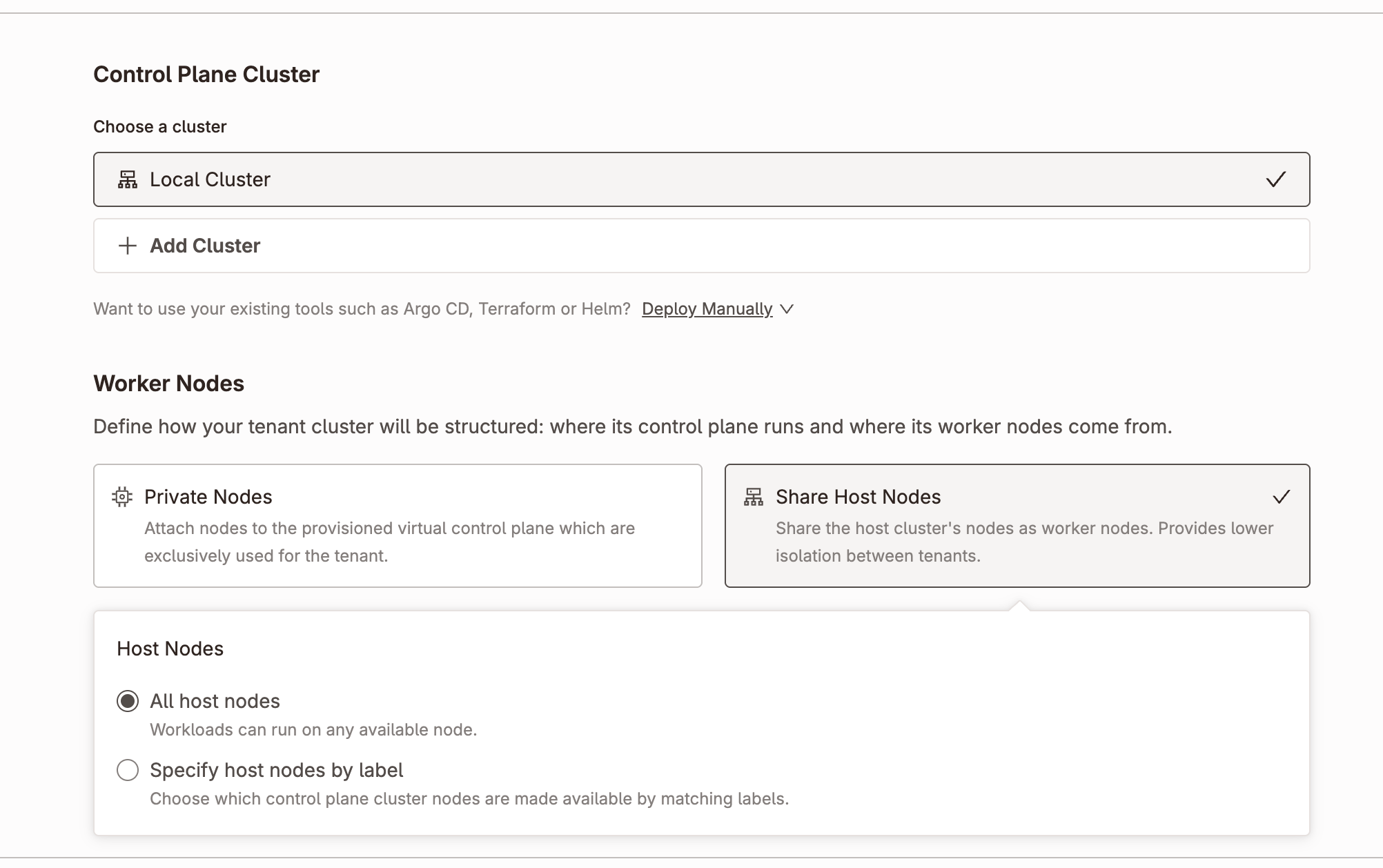
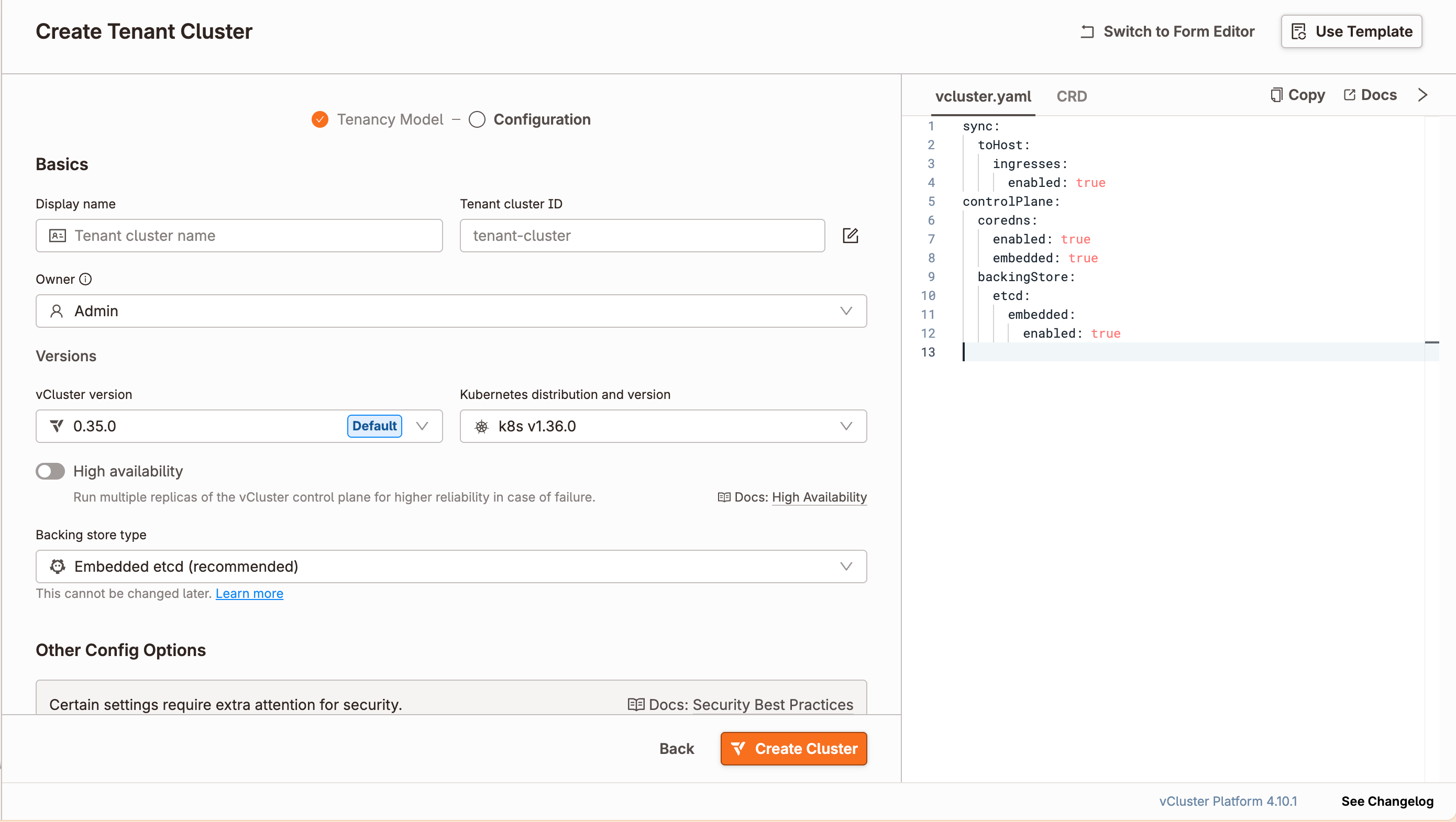
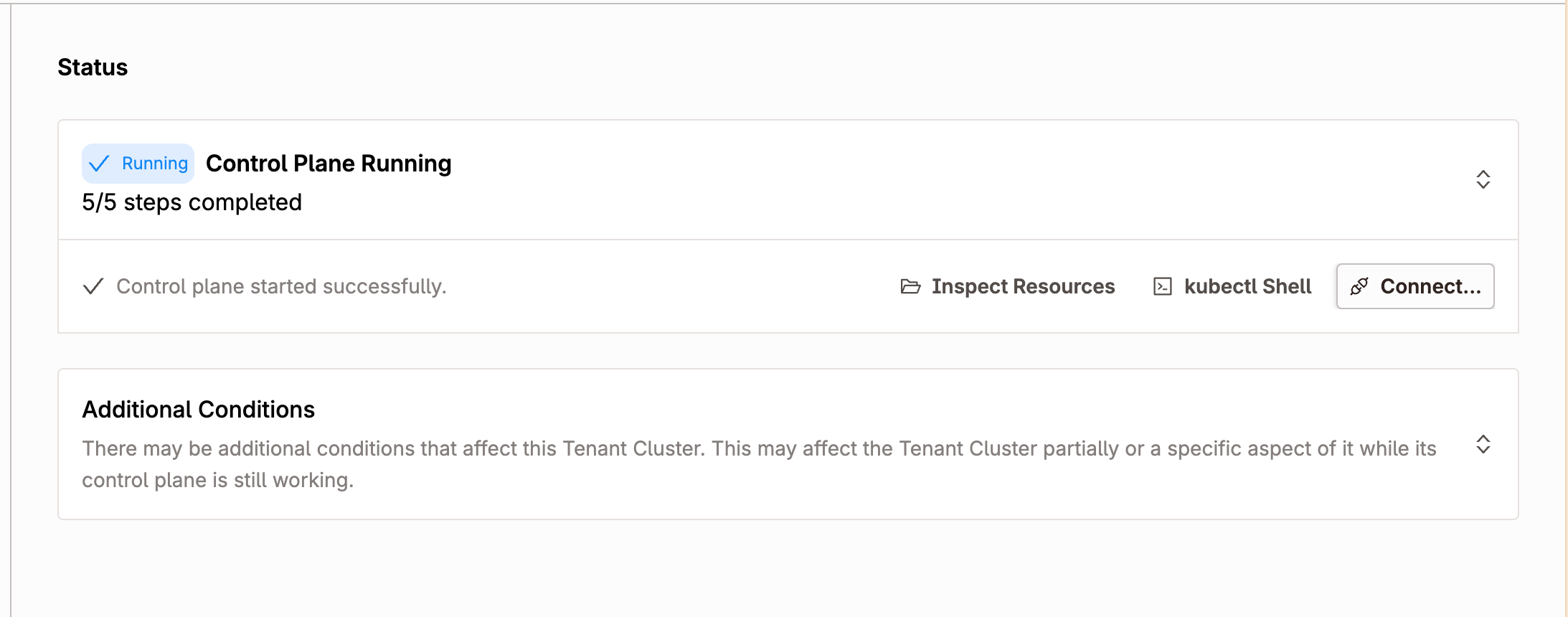
The UI shows a status indicator. Wait until it shows Running, 5/5 steps completed before continuing.
After creation, the CLI often connects you to the tenant automatically. Disconnect first:
vcluster disconnect
Then check the Control Plane Cluster:
kubectl get pods -n <tenant-cluster-namespace>
You should see a pod named <tenant-cluster-name>-0.
kubectl logs -n <tenant-cluster-namespace> <tenant-cluster-pod> -f
Press Ctrl+C to stop.
To enable JSON-formatted logs:
logging:
  encoding: json
To switch back to console format, either remove the logging field or set:
logging:
  encoding: console
Changing the encoding restarts the pod.
vCluster Platform controls log encoding via the LOFT_LOG_ENCODING env var. Patch the StatefulSet:
kubectl set env statefulset/<tenant-cluster-name> \
  -n <tenant-cluster-namespace> \
  LOFT_LOG_ENCODING=json
Stream logs again to confirm:
kubectl logs -n <tenant-cluster-namespace> <tenant-cluster-pod> -f
You should now see JSON lines.
Turn debug on:
kubectl set env statefulset/<tenant-cluster-name> \
  -n <tenant-cluster-namespace> \
  DEBUG=true
View a few debug lines to confirm:
kubectl logs -n <tenant-cluster-namespace> <tenant-cluster-pod> -f \
  | grep '"level":"debug"' \
  | head -5
Turn debug off:
kubectl set env statefulset/<tenant-cluster-name> \
  -n <tenant-cluster-namespace> \
  DEBUG-
Audit logs record every request to the tenant cluster API server, including who made it, what resource they touched, and what the result was.
cat > audit-policy.yaml <<'EOF'
apiVersion: audit.k8s.io/v1
kind: Policy
rules:
  - level: Metadata
    resources:
      - group: ""
        resources: ["secrets", "configmaps"]
  - level: Request
    omitStages:
      - RequestReceived
EOF

kubectl create configmap audit-config \
  -n <tenant-cluster-namespace> \
  --from-file=audit-policy.yaml
Expected output:
configmap/audit-config created
The cleanest way to enable audit logging is to declare everything in vcluster.yaml before creating the tenant cluster. vCluster handles mounting the policy file and passing the flags to the API server automatically.
cat > vcluster.yaml <<'EOF'
controlPlane:
  distro:
    k8s:
      apiServer:
        extraArgs:
          - --audit-policy-file=/etc/kubernetes/audit-policy.yaml
          - --audit-log-path=/dev/stdout
  statefulSet:
    persistence:
      addVolumes:
        - name: audit-policy
          configMap:
            name: audit-config
      addVolumeMounts:
        - name: audit-policy
          mountPath: /etc/kubernetes
EOF
Create the tenant cluster using this config:
vcluster create <tenant-cluster-name> \
  -n <tenant-cluster-namespace> \
  -f vcluster.yaml \
  --connect=false
Expected output:
info Create vcluster my-vcluster...
done Successfully created virtual cluster my-vcluster in namespace my-vcluster.
- Use 'vcluster connect my-vcluster --namespace my-vcluster' to access the virtual cluster
Verify the pod is running:
kubectl get pods -n <tenant-cluster-namespace>
Expected output:
NAME                                                   READY   STATUS    RESTARTS   AGE
coredns-df8c87f55-p9j96-x-kube-system-x-my-vcluster   1/1     Running   0          24s
my-vcluster-0                                          1/1     Running   0          55s
kubectl exec -n <tenant-cluster-namespace> <tenant-cluster-pod> -c syncer -- \
  ps -ef | grep kube-apiserver | tr ' ' '\n' | grep audit
Expected output:
--audit-policy-file=/etc/kubernetes/audit-policy.yaml
--audit-log-path=/dev/stdout
Connect to the tenant cluster:
vcluster connect <tenant-cluster-name> -n <tenant-cluster-namespace>
Create a test secret:
kubectl create secret generic audit-test --from-literal=password=hello123
Expected output:
secret/audit-test created
Disconnect back to the Control Plane Cluster:
vcluster disconnect
Check the logs for the audit event:
kubectl logs -n <tenant-cluster-namespace> <tenant-cluster-pod> -c syncer \
  | grep "audit-test" \
  | head -2
Expected output:
{"kind":"Event","apiVersion":"audit.k8s.io/v1","level":"Metadata","auditID":"349ee9d8-7d7c-41ca-ab3c-f20a6d471d2d","stage":"ResponseComplete","requestURI":"/api/v1/namespaces/default/secrets","verb":"create","user":{"username":"kubernetes-super-admin"},"objectRef":{"resource":"secrets","namespace":"default","name":"audit-test","apiVersion":"v1"},"responseStatus":{"code":201},"requestReceivedTimestamp":"2026-06-24T08:32:21.372538Z","annotations":{"authorization.k8s.io/decision":"allow"}}
The audit event shows exactly what happened: a secret called audit-test was created in the default namespace and got a 201 Created response.
| Action | Command |
|---|---|
| Stream logs | kubectl logs -n NAMESPACE POD -f |
| Enable JSON logs (permanent) | Set logging.encoding: json in vcluster.yaml |
| Enable JSON logs (temporary) | kubectl set env statefulset/NAME -n NAMESPACE LOFT_LOG_ENCODING=json |
| Debug on | kubectl set env statefulset/NAME -n NAMESPACE DEBUG=true |
| Debug off | kubectl set env statefulset/NAME -n NAMESPACE DEBUG- |
| Find audit events | kubectl logs -n NAMESPACE POD |
Deploy your first virtual cluster today.
