Getting started with vCluster on Killercoda

Jul 1, 2024
|
2
min Read
vCluster is an open source tool that helps you create isolated Kubernetes clusters within a single cluster.
Let’s say you are part of a platform team responsible for building a platform that will hand out Kubernetes clusters to hundreds of teams within your organization. One tedious way can be giving every team its own Kubernetes cluster, which will waste a lot of resources, be costly, and be challenging to maintain. For this, you can choose vCluster and give each team an isolated Kubernetes cluster whenever there's a request from the team. Virtual clusters have their own API server, which makes them better isolated than namespaces and more affordable than separate Kubernetes clusters.
This is just one use case to understand where vCluster can fit in. However, it can be used for various use cases, including multi-tenancy, cost-saving, efficient resource utilization, sustainably running workloads, etc. Once you have a base Kubernetes cluster, the next step is to have vCluster and separate clusters for your dev/stage/prod or testing, CI pipelines, or anything else!
Another significant advantage is that you can have the essential tools installed at the base cluster level, which the vClusters can also access, and then certain tools specific to a specific vCluster. This way, you save a lot of resources.
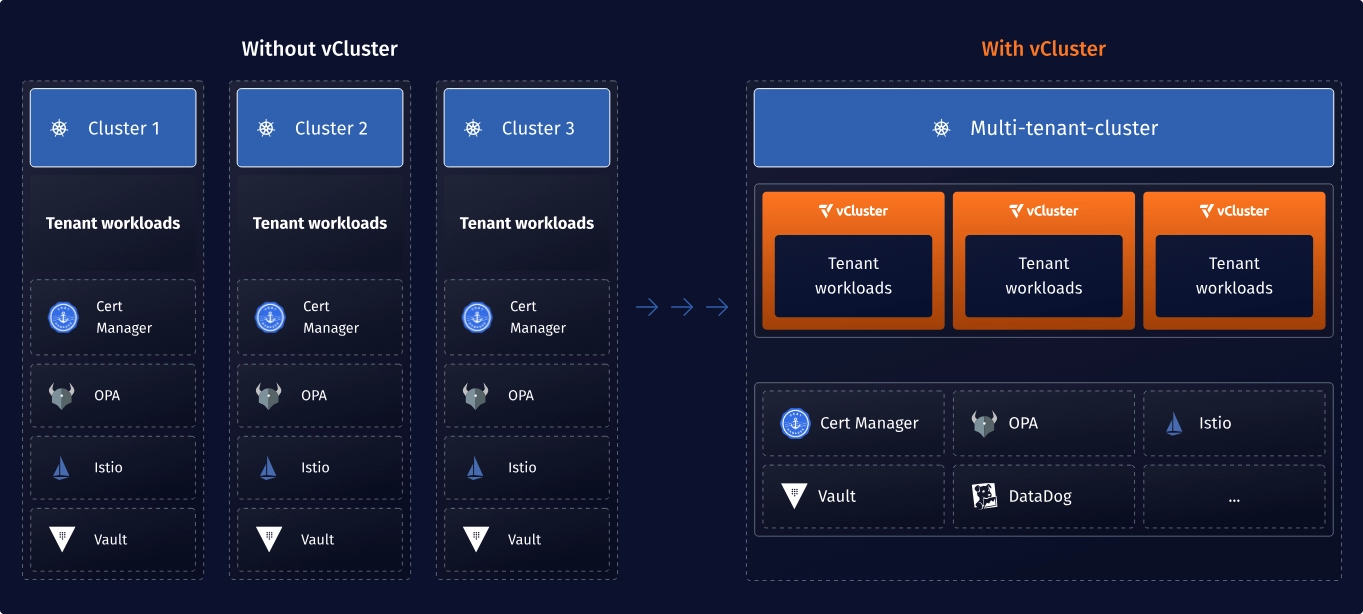
With vCluster, you get the following:
The vCluster is getting started and is accessible via Killercoda.
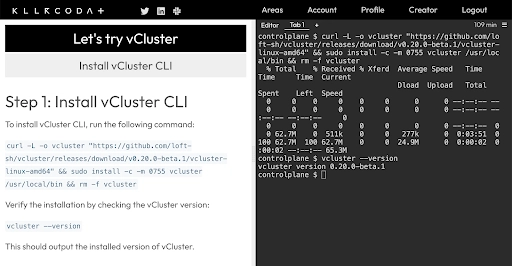
Once you try and get to know the powers, the next step is to take it to your pre-production(CI/CD pipelines, ephemeral Kubernetes clusters) or production environments(Internal developer platform built on top of vCluster) for specific use cases.
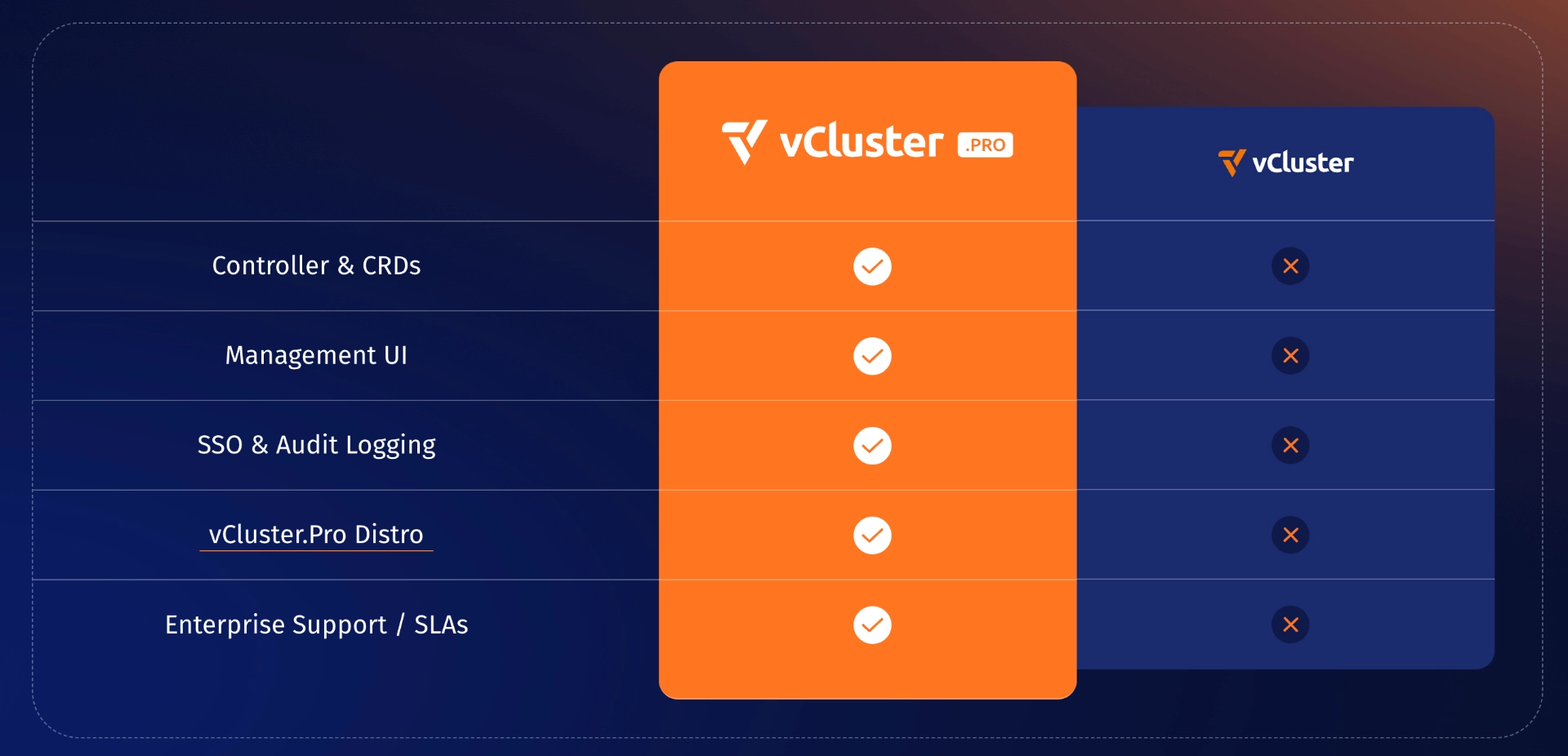
We also have vCluster pro that gives you additional features for your enterprise, so you can join the slack community and message us if you are interested in trying out vCluster pro.
Deploy your first virtual cluster today.
