Kubernetes Virtualization is the Key to Cost-Effective Scale

Aug 11, 2023
|
7
min Read
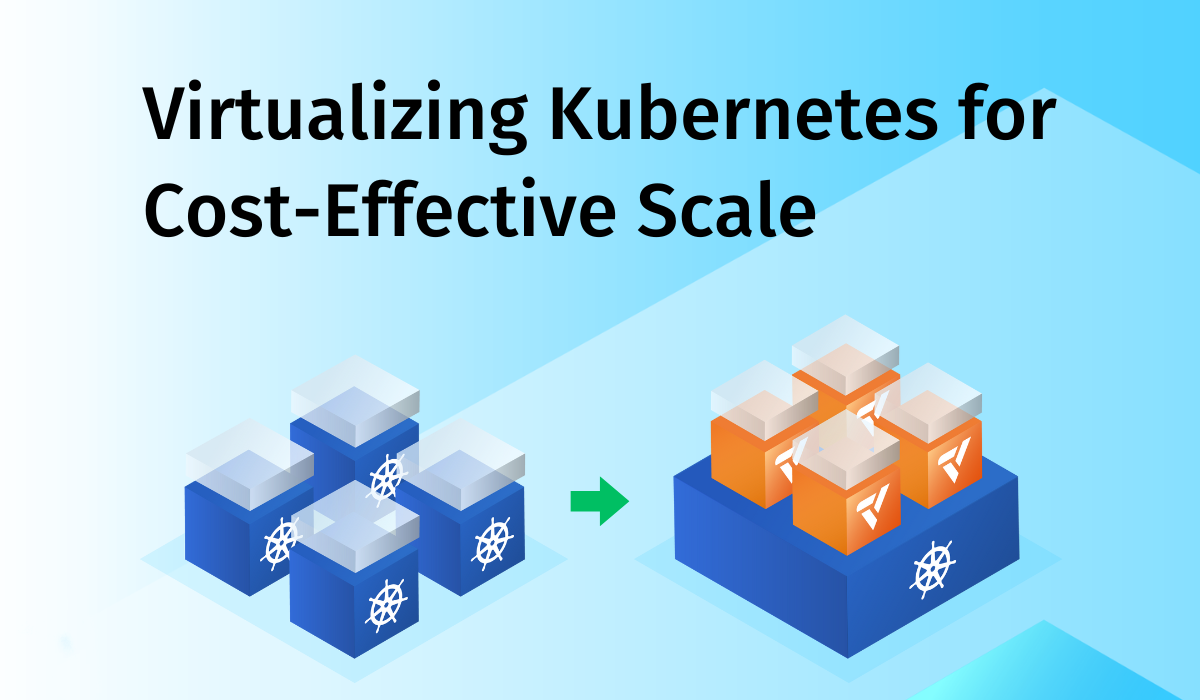
Forbes says large-scale Kubernetes deployments often have hidden, hard-to-manage costs. Kubernetes virtualization helps solve these issues. It lets you create many clusters while keeping resource costs low.
This method cuts cloud costs and boosts resource use. It also helps engineering teams manage complex workflows. This post discusses the benefits of virtualizing Kubernetes. It can cut costs, improve resource use, and help engineering teams.
Kubernetes virtualization involves creating one or more virtual clusters inside a host cluster. This approach ensures a more balanced distribution of resource usage among platform engineering teams.
This results in significant cost reductions. Unlike traditional virtual machines, virtual clusters share resources from the host Kubernetes pod. But, they operate independently, optimizing workloads without the need for excessive physical infrastructure.
By integrating virtual machines with container orchestration, companies can scale their applications while managing costs. Deploying Kubernetes virtual clusters ensures engineering teams can handle containerized workloads without the overhead associated with dedicated hardware.
The benefits of Kubernetes virtualization are countless, from cost optimization to improved flexibility. Virtualization enables organizations to scale resources to meet changing app demands. As a result, this makes cloud hypervisor management smoother.
Multi-tenancy has always been a challenge for platform engineering teams. But, there are different ways to install virtual clusters in Kubernetes. Nonetheless, many of these methods are still in development.
Below are some existing methods:
Namespaces allow users to share Kubernetes infrastructure within a single cluster. This provides some isolation but only applies to specific objects. It's not the best way to optimize cloud costs. It also doesn't support cluster-wide objects, like Nodes and persistent volumes.
Some teams opt for small Kubernetes clusters to support many tenants. This is often used during testing and development. But, it isn’t ideal for cost management. Running many small clusters increases storage costs and complicates management.
Loft offers vCluster, a tool that creates virtual clusters inside a Kubernetes namespace. With vCluster, teams can run clusters on-prem or on GKE or Azure. This solution helps lower costs and increases flexibility.
Virtual clusters share most resources with the host Kubernetes cluster but have their own Kubernetes API, control manager, and storage backend. Engineers can use virtual clusters for CI/CD pipelines, ephemeral environments, or production workloads. Here are some key benefits:
Organizations are always looking to optimize Kubernetes costs in a number of ways. But virtualizing Kubernetes is the most reliable because it allows for efficient use of resources, reduces the need for additional hardware, and automates the Kubernetes scaling process.
Teams need access to Kubernetes clusters on demand. Virtual clusters provide the flexibility to scale resources, meeting the needs of different applications and users.
Virtual clusters offer better security by isolating workloads. In a multi-tenant environment, this protects resource usage. It also ensures secure data access.
Engineers can scale virtual clusters to meet demand. This ensures efficient Kubernetes infrastructure usage. And, this allows applications to remain stable and responsive.
Loft Labs simplifies managing Kubernetes environments. It provides a single control point for monitoring clusters, deploying applications, and resolving issues.
Virtualizing Kubernetes improves performance by allowing for more efficient resource use. Platform engineering teams shouldn't have to deal with several Kubernetes clusters and inefficient virtualization solutions. These solutions help reduce the overhead costs associated with them.
Virtualizing Kubernetes is very useful for cloud-native apps. They need fast, efficient, and scalable infrastructure. Virtual clusters are a cheap solution. These cloud-native apps can help organizations stay competitive in today's fast-paced business world.
Using virtual clusters, platform engineering teams enjoy better isolation and lower costs. They also have full admin access to manage their Kubernetes infrastructure with efficiency.
Here are some important factors to consider:
As virtual clusters grow, monitoring and managing them can be challenging. Teams should use Kubernetes cost monitoring tools to track resource allocation and detect issues early.
Virtualizing Kubernetes creates additional attack vectors, which can make the platform more vulnerable to security breaches. Platform engineering teams should implement robust security measures, including role-based access control (RBAC), network segmentation, and encryption, to ensure the platform's security.
Managing large-scale Kubernetes deployments requires automation. Streamlining provisioning, deployment, and scaling ensures efficient resource management.
As the number of virtual clusters increases, resource allocation becomes more critical. Providing too many resources would defeat a major purpose of virtualization — saving costs. Platform engineering teams should divide resources with precision to ensure each virtual cluster has the right number.
Virtual clusters should have a disaster recovery plan in place. The plan must include backups and failover mechanisms. They ensure continuity during an outage.
Too many Kubernetes clusters lead to cluster sprawl. This makes it hard to optimize resources. Virtual clusters reduce sprawl by sharing infrastructure. They also simplify management and improve resource allocation.
You can achieve virtualizing Kubernetes by using namespaces or small clusters. But, virtual clusters offer the best balance of efficiency and scalability. With Kubernetes cost monitoring and cloud computing solutions, virtual clusters help teams save money. At the same time, it maintains security and flexibility.
Virtualizing Kubernetes has many benefits. It offers flexibility, scalability, and cost savings. It also supports cloud-native apps. Platform engineering teams should manage virtual Kubernetes clusters with appropriate care. They can enhance this with the right tools across their Kubernetes environments.
So, decide now—do you want to optimize performance and save costs? Consider subscribing to Kubernetes virtualization. Leverage these cloud-native applications to scale up/down your resources. You can also secure workloads with new-age virtualization approaches.
Start today with Loft and drive performance, operational simplicity, and innovation across your infrastructure. Stop wasting resources and accept the second evolution of cloud infra with Kubernetes virtualization.
Kubernetes virtualization works by having users interact with the Virtualization API. This API communicates with the Kubernetes cluster to schedule Virtual Machine Instances (VMIs). Kubernetes manages the scheduling, networking, and storage, while KubeVirt handles the virtualization features.
Kubernetes scaling means adjusting the number of running containers to meet application demands. You can use the Kubectl scale command. It lets you change the number of containers in real-time. This is an essential feature for maintaining performance as workloads change.
This is a common Kubernetes interview question. It often asks about your experience with Docker, which is an open-source platform. It packages software and its dependencies into containers for easy portability. Kubernetes orchestrates and links many Docker containers across different hosts, simplifying container management.
Virtualizing Kubernetes offers several key features. It allows several virtual clusters in a single physical cluster. This improves resource use and cuts infrastructure costs.
It also provides better isolation between workloads, enhances security, and supports multi-tenancy. Additionally, virtualizing Kubernetes simplifies scaling, improves flexibility, and streamlines cluster management. This makes it easier to deploy and manage cloud-native applications across environments.
Susan Ogidan wrote this post. Susan is a technical writer. She loves to explore developer tools and share insights on them. Susan is a junior full-stack developer. She believes in the power of code.
Deploy your first virtual cluster today.
